 MeloAuto-Trusted PLC & DCS Parts Supplier
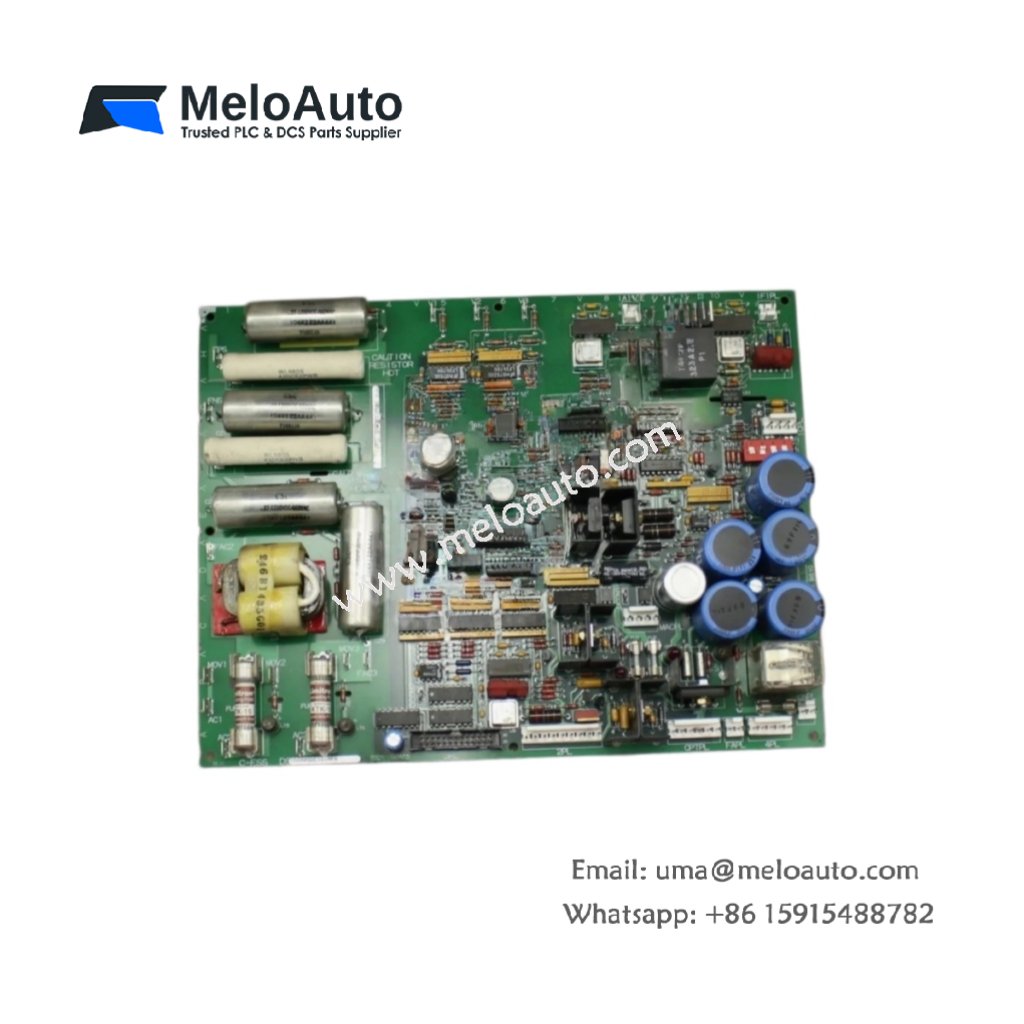
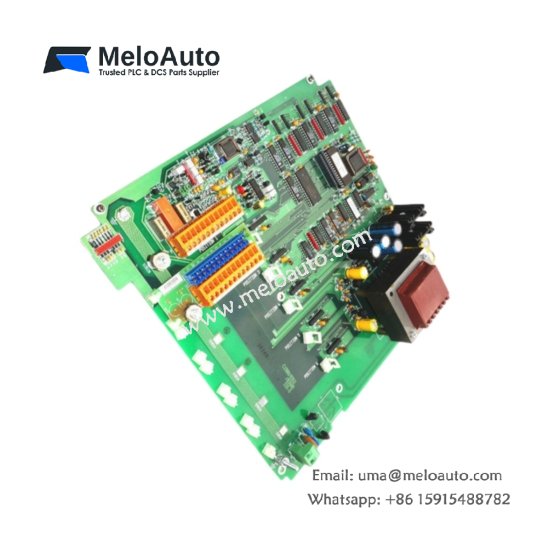
This GE DS200DCFBG1A DS200DCFBG1AAA EX2000 Power Supply Board provides regulated DC power for EX2000 excitation systems. The board accepts a wide input range from 100V to 240V AC or DC. You will find this component in many industrial generator control applications. The DS200DCFBG1AAA variant includes the standard factory configuration.
Technical Specifications
| Parameter | Specification |
|---|---|
| Full Model | GE DS200DCFBG1A DS200DCFBG1AAA EX2000 Power Supply Board |
| Category | EX2000 Power Supply Board |
| Input Voltage | 100V to 240V AC or DC (47 to 63 Hz) |
| Output Voltages | +5V, +12V, -12V, +24V |
| Output Current | 10A (+5V), 3A (+12V), 1A (-12V), 2A (+24V) |
| Dimensions (H x W) | 250 mm x 140 mm |
| Weight | Approximately 0.95 kg |
| Connectors | 2 x Terminal Blocks, 1 x 20-Pin Header |
| Component Count | 156 Discrete Components |
| Energy Storage | 3 x 1000 µF Bulk Capacitors |
Power Conversion and Regulation Features
The GE DS200DCFBG1A DS200DCFBG1AAA EX2000 Power Supply Board uses a flyback converter topology. This design provides excellent line regulation across the entire input range. Each output has independent overcurrent protection with automatic recovery. Furthermore, the board achieves 87% typical efficiency at full load. As a result, it requires only passive cooling for reliable operation.
Installation and Connection Steps
Mount this GE DS200DCFBG1A DS200DCFBG1AAA EX2000 Power Supply Board in any EX2000 cabinet slot. First, connect the AC or DC input to the TB1 terminals. After that, attach your load devices to the output terminals on TB2. Then, secure the board using four M4 screws at the corners. Finally, verify each output voltage before connecting sensitive field circuits.
Energy Discharge and Safety Notice
This GE DS200DCFBG1A DS200DCFBG1AAA EX2000 Power Supply Board stores significant energy in its capacitors. Therefore, you must wait at least two minutes after power removal. The three bulk capacitors discharge through internal bleeder resistors. Never short the output terminals to discharge the board faster.
Status Indication and Diagnostics
Four green LEDs show the presence of each output voltage clearly. A yellow LED indicates the board is in normal operating mode. A red fault LED illuminates when any output falls below 90% of nominal. These indicators help technicians diagnose power issues without any test equipment.









WeChat
Scan the QR Code with wechat