 MeloAuto-Trusted PLC & DCS Parts Supplier
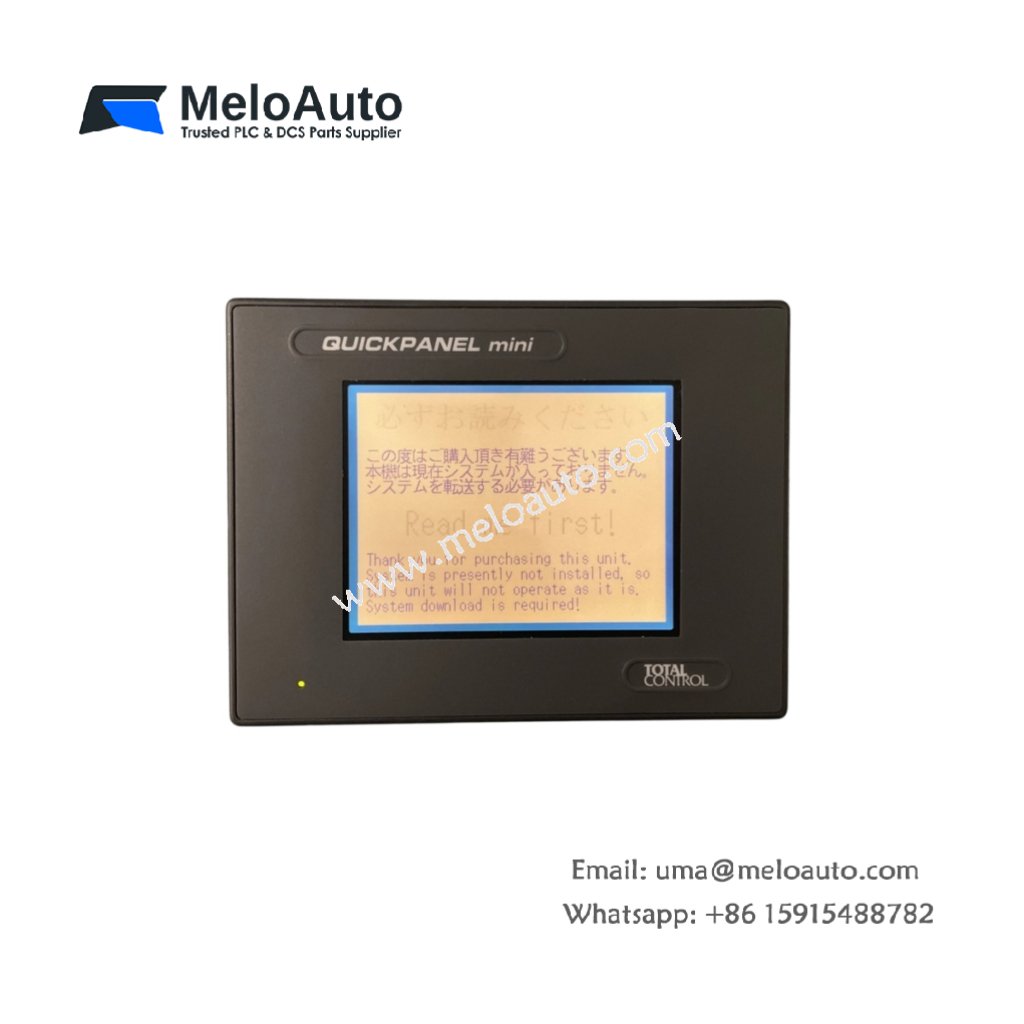
The GE CQPM3D200B2P-A provides a user interface for industrial control and monitoring applications. This touch screen displays machine status and accepts operator commands. Therefore, it replaces traditional push buttons and indicator lights with a modern interface.
Product Overview
We designed this touch screen for harsh manufacturing environments with dust and moisture. Its projected capacitive technology works reliably even through protective gloves. Moreover, this unit includes multiple communication ports for PLC connectivity.
Technical Specifications
| Parameter | Specification |
|---|---|
| Dimensions | 22.5 cm (height) x 31.0 cm (width) x 5.5 cm (depth) |
| Weight | 1.85 kg (approximately 4.08 lb) |
| Interface Type | USB host, USB device, Ethernet, RS-232, RS-485 |
| Component Count | 324 components including touch controller and display driver |
| Energy Storage | 6 aluminum capacitors (220 µF, 25V) plus 18 ceramic |
| Display Size | 20.3 cm (8.0 inches) diagonal |
| Display Type | TFT LCD, 800×600 resolution, 65k colors |
| Touch Technology | Projected capacitive, multi-touch capable |
| Brightness | 400 cd/m² typical |
| Backlight | LED with 50,000 hour lifetime |
| Communication | 2x Ethernet, 3x serial, 2x USB |
| Protocols | Modbus TCP, Modbus RTU, Ethernet/IP, Profinet |
| Power Supply | 24V DC at 0.8A, 19.2W maximum |
Display Architecture
The GE CQPM3D200B2P-A uses a high-brightness TFT LCD for outdoor visibility. Its six aluminum capacitors filter power for the backlight LED driver. Additionally, eighteen ceramic capacitors decouple noise from the touch controller. You get responsive touch detection even with multiple simultaneous finger presses.
Energy Storage Configuration
Six aluminum capacitors provide 15 ms of hold-up during power interruptions. This prevents display flicker during brief voltage dips on the 24V supply. Eighteen ceramic capacitors filter high-frequency noise from the display driver circuits. Clean power ensures stable image quality and touch accuracy. The capacitors also protect against electrostatic discharge from operator contact.
Touch Screen Features
The projected capacitive touch screen detects input through gloves up to 3mm thick. It supports up to 10 simultaneous touch points for advanced gesture control. The screen automatically calibrates itself during power-up without user intervention. A built-in palm rejection algorithm ignores accidental touches from resting hands. The glass surface resists scratches and common industrial solvents.
Installation Steps
Mount this touch screen in a panel cutout of 28.5 cm by 20.0 cm. Secure the unit using the six integrated mounting clips around the bezel. Connect 24V DC power to the two-pin terminal block on the rear. Then connect communication cables to the appropriate ports for your PLC. Power up the display and verify that the backlight illuminates immediately.
Communication Setup
Configure the Ethernet port with a fixed IP address for your network. Use the RS-485 port for direct connection to legacy Modbus RTU devices. The RS-232 port supports point-to-point connection to a programming computer. The USB host port accepts flash drives for application backup and restore. The USB device port connects to a PC for screen configuration downloads.
Programming Environment
Create applications using GE’s Proficy Machine Edition software. Drag and drop graphical elements from the built-in object library. The software includes over 2000 pre-drawn symbols for industrial equipment. You can also import custom graphics in BMP, JPEG, or PNG formats. The development environment supports online changes without stopping the machine.
Application Scope
This touch screen suits machine control, process monitoring, and data entry tasks. Many factories use the GE CQPM3D200B2P-A for HMI replacement in legacy systems. Its rugged front panel meets IP66 rating for washdown environments.









WeChat
Scan the QR Code with wechat