 MeloAuto-Trusted PLC & DCS Parts Supplier
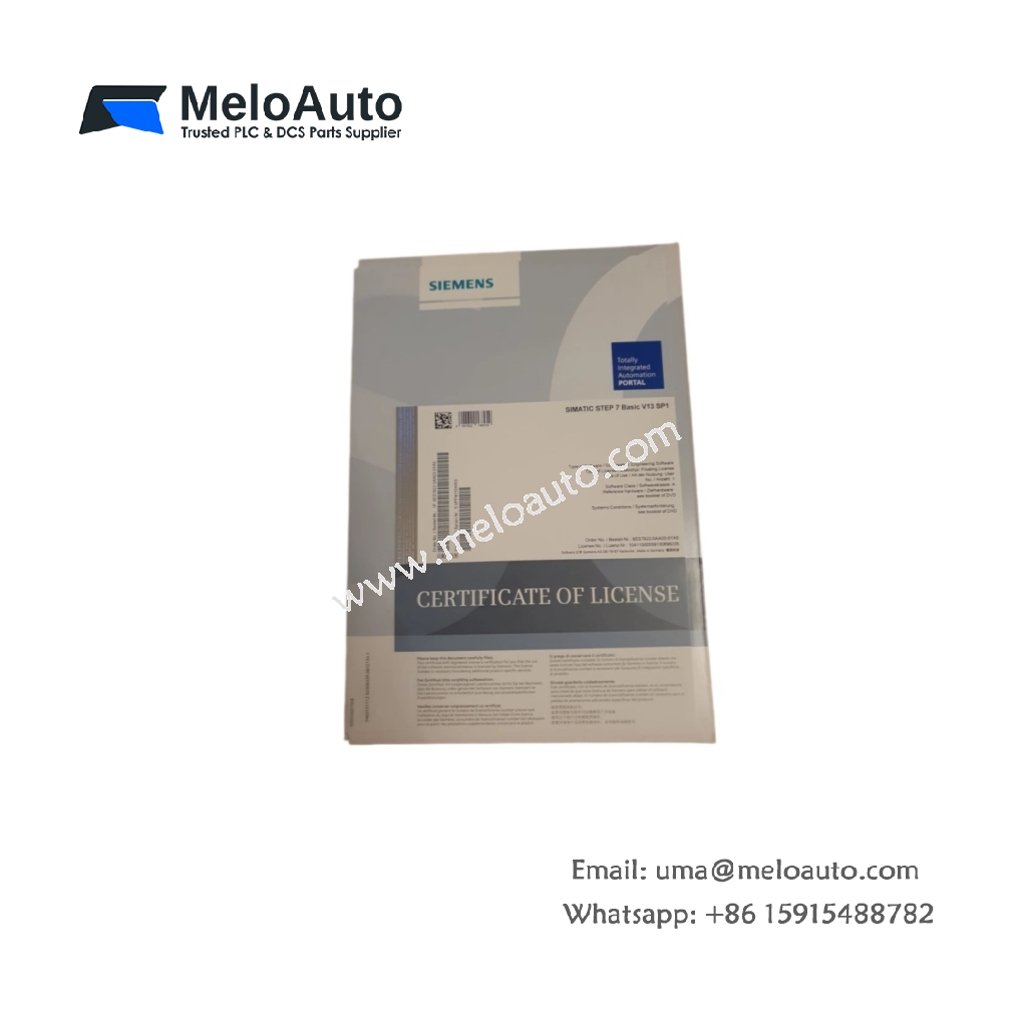
This software package upgrades existing STEP 7 installations to Professional V13 SP1. The Siemens 6ES7822-1AA03-0XC5 provides full engineering functionality for SIMATIC S7-1200, S7-1500, and S7-300/400 controllers. It includes the PowerP (Power Package) for enhanced system performance and scalability. The upgrade unlocks advanced diagnostic, simulation, and library management capabilities. Engineers can now program in multiple IEC languages including LAD, FBD, STL, and SCL.
System Requirements and Installation Environment
The software requires a Windows 7 Professional (64-bit) or Windows 10 Enterprise operating system. A minimum of 8 GB RAM ensures smooth performance for large-scale automation projects. The 6ES7822-1AA03-0XC5 demands at least 20 GB of free hard disk space. Installation time averages approximately 45 minutes on a typical engineering workstation. The upgrade process preserves existing projects and user-defined libraries automatically.
Technical Specifications at a Glance
| Specification | Detail |
|---|---|
| Software Type | STEP 7 Professional V13 SP1 Upgrade + PowerP |
| Version | V13 SP1 (Service Pack 1) |
| Operating System | Windows 7 Pro 64-bit, Windows 10 Enterprise |
| RAM Requirement | 8 GB minimum (16 GB recommended) |
| Hard Disk Space | 20 GB minimum |
| Processor | Intel Core i5 or equivalent (2.5 GHz) |
| Target Systems | S7-1200, S7-1500, S7-300, S7-400 |
| Programming Languages | LAD, FBD, STL, SCL, GRAPH |
| License Type | Upgrade license (requires existing STEP 7) |
| PowerP Included | Yes (performance and scalability enhancement) |
| Simulation | Integrated PLCSIM (basic) |
| Diagnostics | System trace, motion control analyzer |
| Library Support | Team engineering, version control interface |
| Language Support | English, German, French, Italian, Spanish, Chinese |
Upgrade Features and New Capabilities
The PowerP package optimizes code execution for faster program processing. This upgrade introduces enhanced motion control functions for advanced positioning tasks. The new system trace tool enables real-time diagnostics for complex troubleshooting. Version Control Interface integrates the software with external versioning systems. Team engineering capabilities allow multiple programmers to work on large projects simultaneously.
Programming Environment Enhancements
The Siemens 6ES7822-1AA03-0XC5 integrates hardware configuration directly with program development. Drag-and-drop functionality simplifies the configuration of PROFINET and PROFIBUS networks. Graphical editors for LAD, FBD, and SCL support intuitive programming workflows. The editor includes auto-completion and syntax highlighting for reduced coding errors. Context-sensitive help provides instant access to instruction descriptions and parameter guidance.
Diagnostics and Simulation Tools
Integrated PLCSIM allows offline program testing without physical hardware. The system trace function records signal sequences for precise fault analysis. Memory and performance analyzers help identify bottlenecks in program execution. The software includes backup and restore utilities for project data preservation. Cross-reference tools reveal all program locations referencing specific tags or operands.
Licensing and Installation Details
The 6ES7822-1AA03-0XC5 functions as an upgrade, requiring an existing STEP 7 license. You receive the PowerP enhancement as part of this upgrade package. Installation media comes on DVD or as an electronic download option. The license permits one concurrent engineering station usage. A Hardware ID binds the license to a specific workstation or dongle.





WeChat
Scan the QR Code with wechat