 MeloAuto-Trusted PLC & DCS Parts Supplier
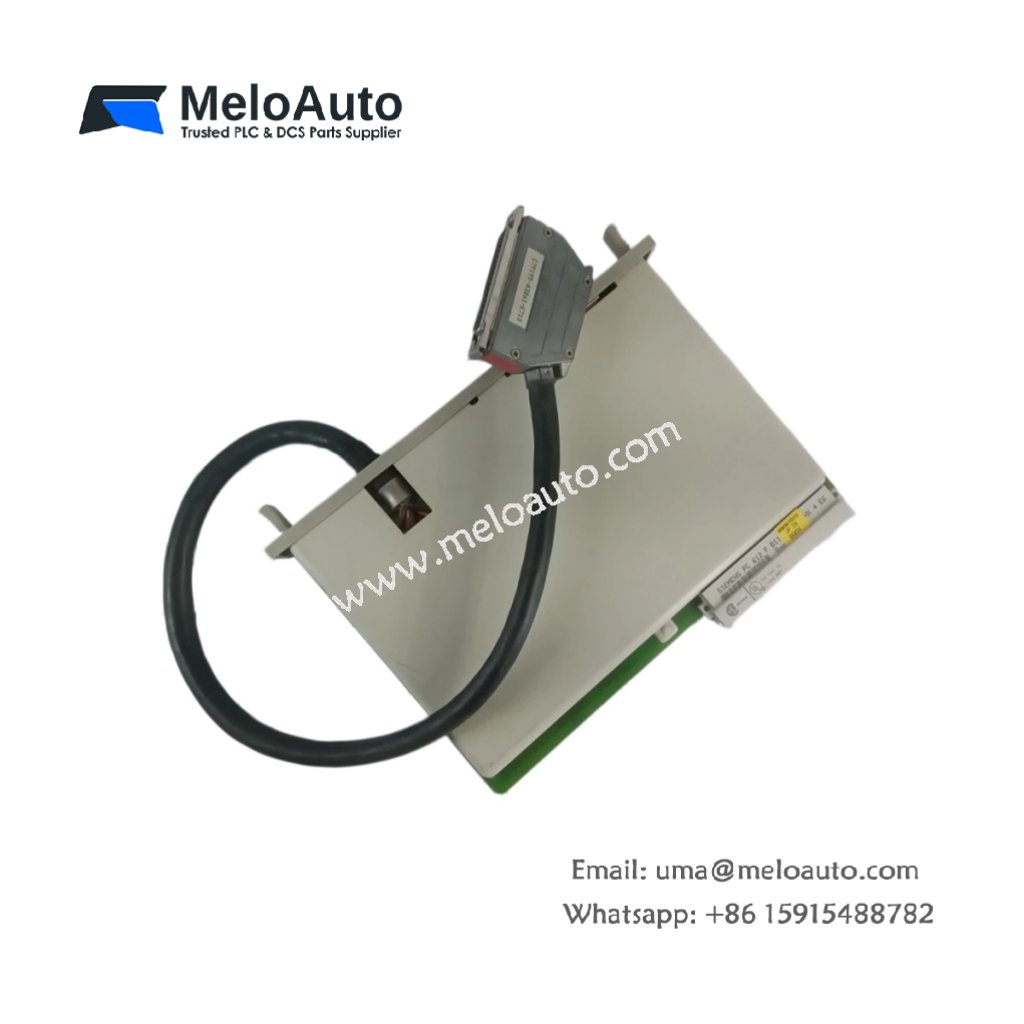
The Siemens 6ES5312-5CA12 connects a central controller to remote expansion racks. This interface module (IM312) transmits data between the CPU and distributed I/O stations. You can place expansion racks up to 100 meters away using standard connecting cables. It handles all communication handshaking without additional programming effort. Consequently, you can build larger systems beyond a single rack’s slot capacity.
Technical Specifications Overview
| Parameter | Detailed Specification |
|---|---|
| Model | Siemens 6ES5312-5CA12 |
| Category | SIMATIC S5 Interface Module (IM312, master/sender) |
| Number of Connections | Supports up to 4 expansion racks |
| Maximum Distance | 100 meters per rack (using Siemens 6ES5312-5CA12 cable) |
| Data Transmission | Parallel bus (TTL levels) |
| Transmission Speed | Same as backplane bus speed (approx. 1 µs per word) |
| Number of Slots per Rack | Up to 8 I/O modules |
| Operating Voltage | 5V DC from backplane (typical 300 mA) |
| External Supply | Not required (uses rack power) |
| Dimensions | 250 mm x 25 mm x 130 mm (single-width) |
| Weight | 0.41 kg (410 grams) |
| Indicators | 2 LEDs (power, bus active) |
| Operating Temperature | 0°C to 60°C |
Functional Features and Expansion Capabilities
The Siemens 6ES5312-5CA12 acts as the master interface for remote rack expansion. You place this module in the central controller rack (slot 1 or 2). It drives the bus signals over the connecting cable to remote racks. Furthermore, the module includes termination resistors for signal integrity at cable ends.
Each remote rack requires a matching receiver interface like Siemens 6ES5313-5CA12. The system treats all expansion racks as part of a unified I/O space. Consequently, you can address modules in remote racks just like local ones. The IM312 performs automatic error checking on all transmitted data.
Installation and Configuration Steps
First, insert the Siemens 6ES5312-5CA12 into the central rack’s interface slot. Next, connect the interface cable to the 20-pin frontal connector. Then, route the cable to your first expansion rack’s receiver module. Finally, set the rack number using the DIP switches on the module.
You must terminate the cable at the last rack in the chain. The module does not support hot swapping of expansion cables during operation. Always power down both racks before connecting or disconnecting the cable. Furthermore, keep the interface cable separate from high-power AC wiring.
This interface module works perfectly for building distributed control systems. It supports all S5 I/O types including digital, analog, and intelligent modules. You can mix different rack sizes (e.g., 6U, 9U, 12U) without restrictions. The IM312 handles up to 64 I/O modules across five racks efficiently.











WeChat
Scan the QR Code with wechat