 MeloAuto-Trusted PLC & DCS Parts Supplier
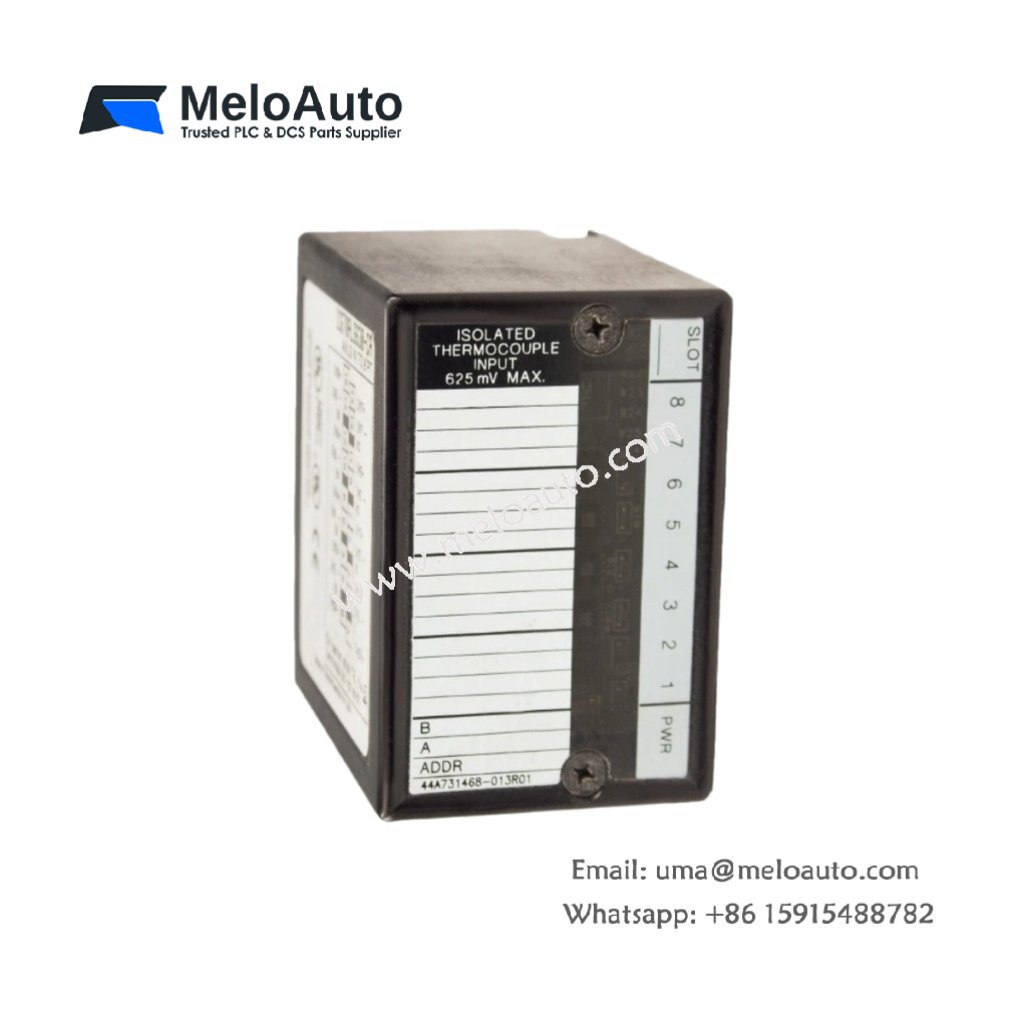
This module converts analog field signals to digital values for the controller. The GE IC670ALG630-CA accepts 4 current or voltage inputs for monitoring applications. It measures 125 mm in width and 110 mm in height. This unit weighs approximately 0.32 kg for DIN rail mounting.
Technical Specifications Table
| Parameter | Value |
|---|---|
| Product Model | GE IC670ALG630-CA |
| Brand | GE Fanuc / Emerson |
| Category | Analog Input Module |
| Compatible Series | Genius I/O (IC670) |
| Number of Inputs | 4 differential channels |
| Input Types | Configurable per channel: 0-20 mA, 4-20 mA, 0-10 V, ±10 V |
| Resolution | 15 bits plus sign (16 bits total) |
| Accuracy | ±0.1% of full scale at 25°C |
| Update Rate | 10 ms per channel (40 ms all channels) |
| Input Impedance | 250 Ω (current), 100 kΩ (voltage) |
| Dimensions (W x H x D) | 125 mm x 110 mm x 55 mm |
| Weight | 0.32 kg |
| Connector Type | 1 x 24-pin removable terminal block |
| Internal Components | 1 x 16-bit ADC, 1 x multiplexer, 1 x microprocessor |
| Energy Storage | 4 x 0.1 µF input filtering capacitors |
| Electrical Isolation | 1500 V RMS between inputs and backplane |
| Overvoltage Protection | ±30 V DC continuous |
| Operating Voltage | 24 V DC external supply |
| Power Consumption | 100 mA at 24 V DC |
| Operating Temperature | 0°C to 60°C |
Internal Design and Analog Conversion
This analog input module uses a 16-bit ADC for precise signal conversion. A multiplexer scans all four channels sequentially for processing. The GE IC670ALG630-CA configures each channel independently for current or voltage. Four 0.1 µF capacitors filter high-frequency noise from input signals. An onboard microprocessor linearizes and scales the digital values. Consequently, this module delivers accurate analog readings for process control applications.
Installation and Wiring Guide
First, mount this module onto a standard 35 mm DIN rail securely. Next, connect a 24 V DC field supply to the designated power terminals. Then, wire your analog sensors to the input terminals (channels 1-4). Use shielded twisted-pair cables for all analog signal connections. Configure each channel’s input type using the Genius configuration software. The module provides LED indicators for module status and field power. This analog input module works with all Genius I/O bus controllers and compatible field devices. Always connect the shield drain wire to earth ground for noise reduction.











WeChat
Scan the QR Code with wechat