 MeloAuto-Trusted PLC & DCS Parts Supplier
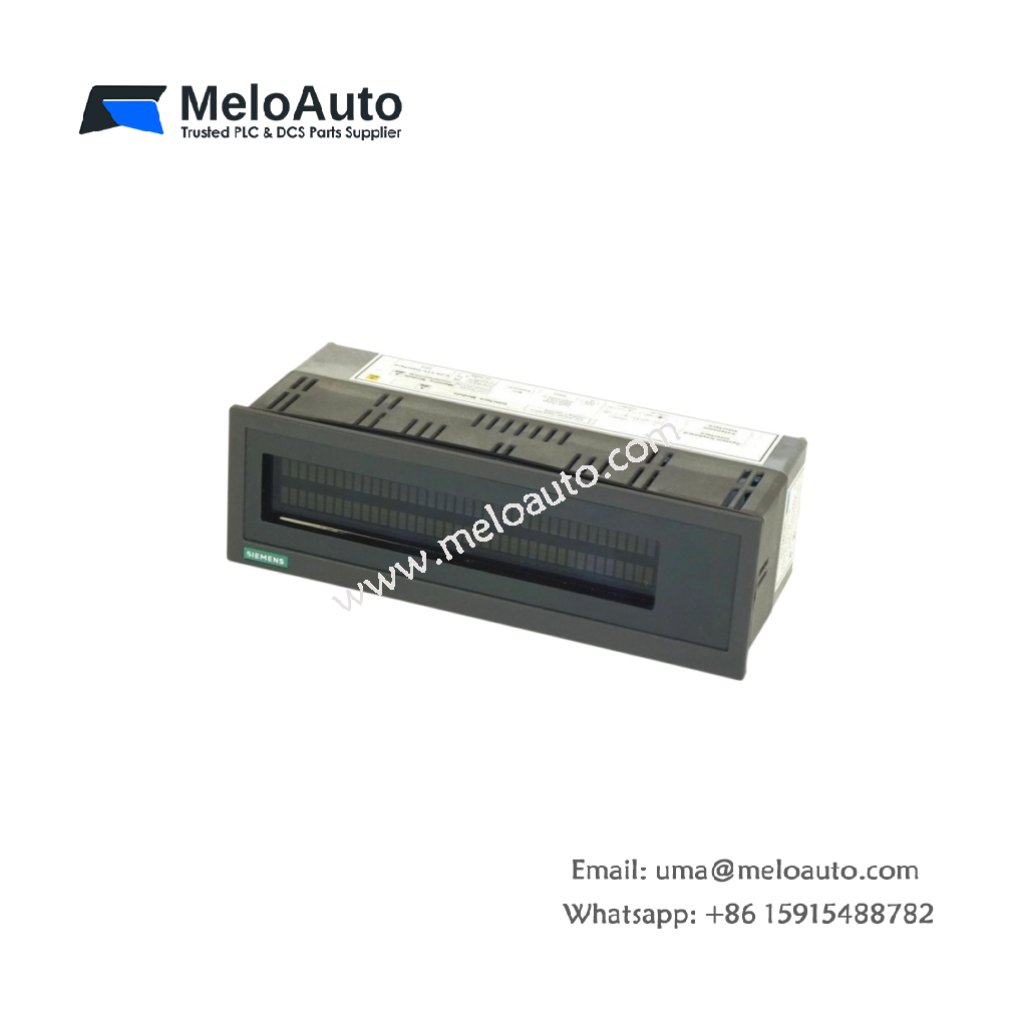
Clear Visual Information for Operators
The 6AV3520-1EL10 functions as a line text display unit for Siemens industrial automation systems. This compact device presents process information, alarms, and operational messages in clear text format. It features a backlit LCD screen for excellent readability in various lighting conditions. The unit accepts operator inputs through a built-in keypad. Consequently, it provides an effective human-machine interface for machine monitoring.
Technical Specifications
| Parameter | Specification |
|---|---|
| Manufacturer | Siemens |
| Category | Line Text Display |
| Part Number | 6AV3520-1EL10 |
| Display Type | LCD (backlit) |
| Display Size | 7.6 cm (diagonal) |
| Display Format | 4 lines x 20 characters |
| Character Size | 5 mm x 3 mm |
| Keypad | 8 membrane keys |
| Communication | RS-232, RS-485 |
| Memory | 256 KB (application storage) |
| Power Supply | 24 VDC |
| Current Consumption | 300 mA (typical) |
| Operating Temperature | 0°C to +50°C |
| Storage Temperature | -20°C to +70°C |
| Dimensions | 16.0 cm x 10.0 cm x 4.5 cm |
| Weight | 0.6 kg |
| Protection Rating | IP40 (front panel) |
| Mounting | Panel-mount |
Display and Communication Features
The 6AV3520-1EL10 features a high-contrast LCD for clear message visibility. Users can adjust the backlight intensity for different ambient light conditions. The device stores multiple text pages in its internal memory. Eight membrane keys provide direct access to key operations and menus. The unit supports multiple languages for international applications. Furthermore, the display includes a real-time clock for event time-stamping.
Integration and Application
This line text display connects to Siemens PLCs via RS-232 or RS-485 interfaces. The 6AV3520-1EL10 suits machine status indication, alarm annunciation, and production counting. It also supports simple operator prompting and data entry. Users can configure messages using the appropriate setup software.











WeChat
Scan the QR Code with wechat