 MeloAuto-Trusted PLC & DCS Parts Supplier
Product Overview
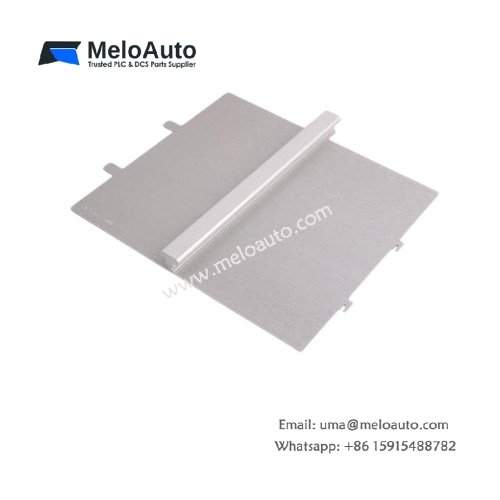
This 9-slot aluminum rack serves as the mechanical backbone for the SIMATIC S7-400 system. It provides nine mounting positions for power supplies, CPUs, and I/O modules. The rack measures 50 mm in width, 290 mm in height, and 210 mm in depth. Its sturdy construction weighs approximately 1,300 grams for secure cabinet mounting. You can install this rack directly onto the rear panel of your control cabinet. The unit includes an integrated backplane bus for communication between modules.
Each slot supports the full range of S7-400 modules from Siemens. The rack provides a total current capacity of 10 A from the backplane. You can install the power supply in the first slot for optimal system configuration. The integrated bus connects all modules automatically after insertion. You can also use this rack in redundant CPU configurations.
Technical Specifications
| Parameter | Specification |
|---|---|
| Product Type | PLC Rack |
| Model | 6ES7400-1JA01-0AA0 |
| Number of Slots | 9 |
| Slot Width | 25 mm each |
| Backplane Current | 10 A (maximum total) |
| Dimensions (W x H x D) | 50 mm x 290 mm x 210 mm |
| Weight | Approx. 1,300 g |
| Material | Aluminum |
| Mounting | Rear panel (screw fixing) |
| Compatibility | All S7-400 modules |
| Redundancy Support | Yes (CPU pairs) |
| Temperature Range | 0 °C to 60 °C |
| Protection Class | IP20 |
Key Features and Benefits
This 9-slot rack offers a balanced size for medium-sized automation projects. Its aluminum housing provides excellent electromagnetic shielding for sensitive electronics. The backplane ensures reliable communication at 12 Mbps between modules. You can mix digital, analog, and communication modules in any slots. The rack also includes a dedicated slot for the power supply unit.
Installation and Module Configuration
You mount the rack to the cabinet rear panel using four screws. Insert the power supply into slot 1 and the CPU into slot 2 or 3. Fill the remaining slots with I/O and communication modules as required. Each module clicks into place with a positive locking mechanism. The backplane automatically establishes bus connections upon insertion. You can replace modules without removing the rack from the cabinet.
Typical Applications
Chemical plants use this rack to build compact S7-400 control systems. Manufacturing facilities rely on it for machine control and data acquisition. The rack also serves in energy management and building automation applications.





WeChat
Scan the QR Code with wechat