 MeloAuto-Trusted PLC & DCS Parts Supplier
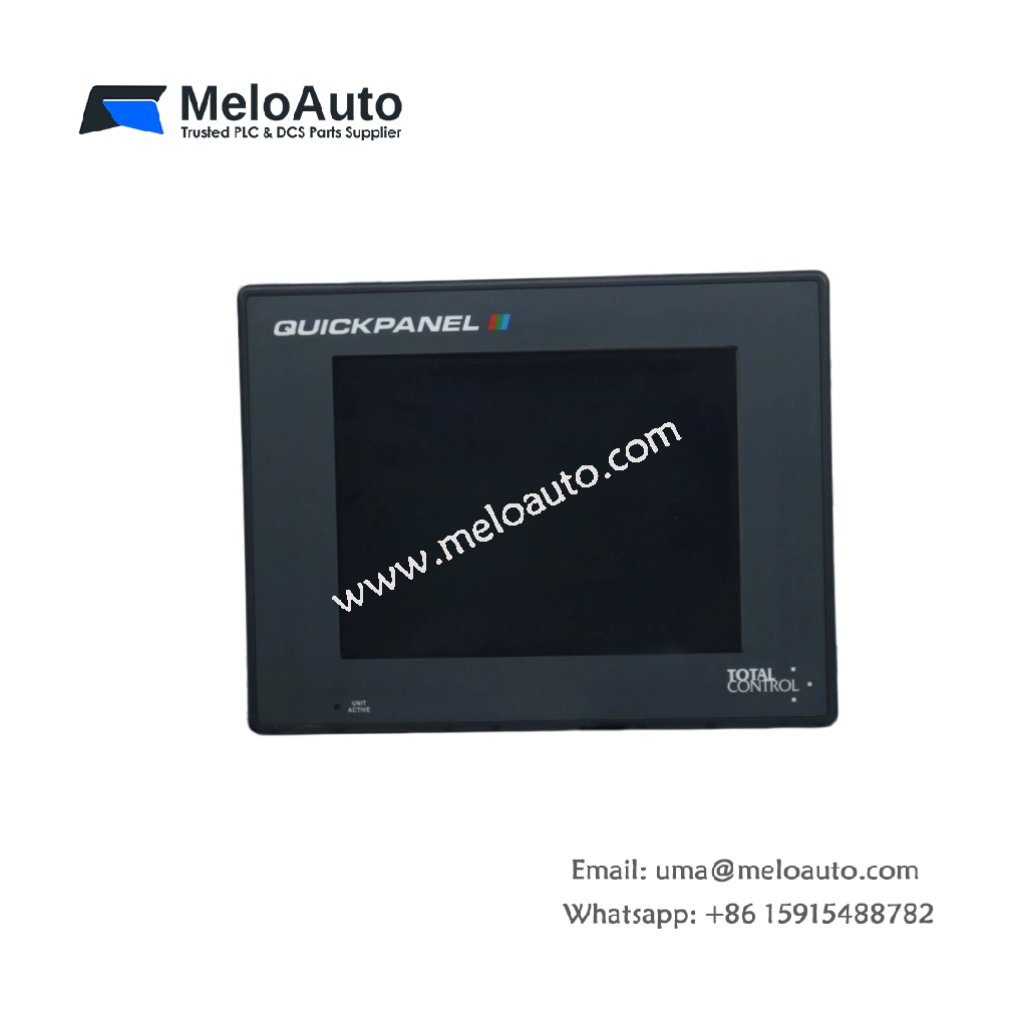
This operator interface provides touchscreen control for industrial automation systems. It displays machine status and accepts user commands. You will mount this panel on machine enclosures or control arms.
Key Technical Specifications
The QPI-211V0-C2P features a monochrome LCD with 320 x 240 pixel resolution. Its analog resistive touch screen registers inputs from fingers or stylus pens. The panel also includes a replaceable backlight for long-term serviceability.
| Parameter | Technical Data |
|---|---|
| Product Type | QuickPanel HMI (Graphic Operator Interface) |
| Display Type | Monochrome LCD (blue mode) |
| Resolution | 320 x 240 pixels (QVGA) |
| Display Size | 5.7 inches diagonal |
| Touch Technology | Resistive, analog (4-wire) |
| Backlight | CCFL (replaceable) |
| Brightness | 150 cd/m² typical |
| Dimensions (W x H x D) | 16.0 cm x 12.5 cm x 5.0 cm |
| Cutout Dimensions | 14.5 cm x 11.0 cm |
| Total Weight | 0.55 kg (1.21 lbs) |
| Serial Ports | 1 x RS-232, 1 x RS-422/485 |
| Power Supply | 24V DC ±10% |
| Onboard Memory | 1 MB flash, 512 KB SRAM |
| Energy Storage | 470 µF input filtering |
| Operating Temperature | 0°C to 50°C |
| Protection Rating (Front) | IP65 (NEMA 4) |
Hardware Architecture and Memory
The QPI-211V0-C2P integrates a 16-bit microcontroller running at 20 MHz. One megabyte of flash memory stores application screens and configuration data. Five hundred twelve kilobytes of SRAM handle runtime variables and alarms. The CCFL backlight provides approximately 25,000 hours of typical operation.
Interface and Connectivity
One RS-232 serial port connects the panel to a PLC programming port. One RS-422/485 port supports multi-drop networking for up to 32 devices. A 3-position terminal block accepts the 24V DC power input. The rear panel also features a contrast adjustment potentiometer.
Practical Installation Notes
Cut a 14.5 x 11.0 cm hole in the cabinet door for flush mounting. The QPI-211V0-C2P requires 7 cm clearance behind the panel for cables. Use the included mounting clips to secure the unit from the rear. Clean the resistive touch surface only with a soft, damp cloth.










WeChat
Scan the QR Code with wechat