 MeloAuto-Trusted PLC & DCS Parts Supplier
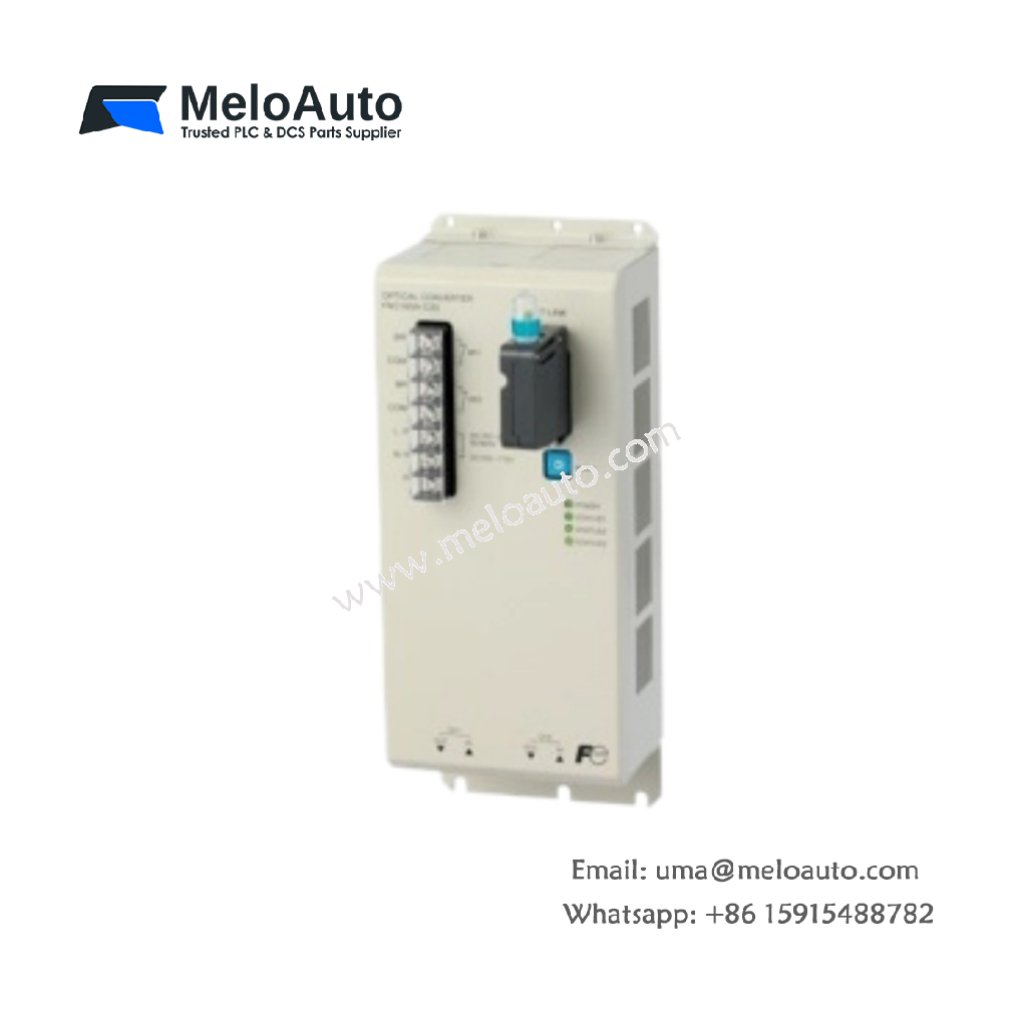
The Fuji FNC360A-C20 transmits control signals via fiber optic cables. This system eliminates electrical noise interference in industrial environments. It connects remote I/O stations to a central controller seamlessly. Many engineers choose optical links for long‑distance automation networks.
Complete Technical Specifications
| Parameter | Specification |
|---|---|
| Dimensions (W x H x D) | 120 mm x 85 mm x 40 mm |
| Weight | 0.32 kg |
| Number of Optical Ports | 2 (one transmit, one receive) |
| Fiber Type | Plastic optical fiber (POF), 1 mm core |
| Wavelength | 660 nm (red visible light) |
| Maximum Transmission Distance | 200 meters per segment |
| Data Rate | 2.5 Mbps |
| Number of Connectable Stations | 20 maximum |
| Internal Energy Storage | 100 µF capacitor |
| Operating Voltage | 24V DC ±10% |
| Power Consumption | 2 W typical |
| Connector Type | Snap‑in ZD type |
| LED Indicators | Power, Link, Error, Data |
Physical Layout and Connection Points
The Fuji FNC360A-C20 weighs only 0.32 kilograms for flexible mounting. Its 120 mm width occupies minimal panel space. Two optical ports sit on the front panel clearly labeled. A snap‑in ZD connector secures each fiber cable firmly. Four LED indicators show system status at a glance. An internal 100 µF capacitor buffers short power interruptions.
Optical Transmission Characteristics
This system uses plastic optical fiber with a 1 mm core. The 660 nm red light provides visible signal confirmation. Therefore, technicians can see active links during troubleshooting. The maximum distance reaches 200 meters between stations. The data rate runs at 2.5 megabits per second. Consequently, the link supports most discrete and analog I/O updates.
Installation and Wiring Guidelines
Mount the Fuji FNC360A-C20 on a standard DIN rail. First, cut the plastic fiber to the required length. Then strip the outer jacket carefully without scratching the core. Insert the fiber into the ZD connector until it stops. Connect the transmit port of one unit to the receive port of the next. Repeat this process for all stations in the chain. Finally, apply power and verify the Link LED turns solid green.
System Topology and Application Notes
This optical link supports a daisy‑chain or loop topology. The maximum network includes up to 20 stations. Typical applications include large conveyor systems and paint booths. The link also suits high‑EMI areas like welding cells. For longer distances, add optical repeaters between segments. The system works with most Fuji PLCs and remote I/O racks.











WeChat
Scan the QR Code with wechat